
Returns accepted for 5 days
Free return shipping
No restocking fee
No final sale items
100% Payment Secure
Online Support
Returns accepted for 5 days
Free return shipping
No restocking fee
No final sale items
100% Payment Secure
100% Payment Secure


LED Matrix Panel 32×16 — Flexible, App Remote Controlled, IP65 Waterproof
LED Matrix Panel 32×16 — Flexible, App Remote Controlled, IP65 Waterproof
Couldn't load pickup availability


 Estimated Delivery Date :
12
-
14 September, 2026.
Estimated Delivery Date :
12
-
14 September, 2026.
Return rules summary
- Returns accepted for 5 days
- Free return shipping
- No restocking fee
- No final sale items
 Order on WhatsApp
32×16 LED Matrix Panel — Flexible, App & Remote Controlled, IP65 Waterproof
A bright, customizable LED pixel display for cars, shops, events and home décor — controlled by app or remote.
Product Overview
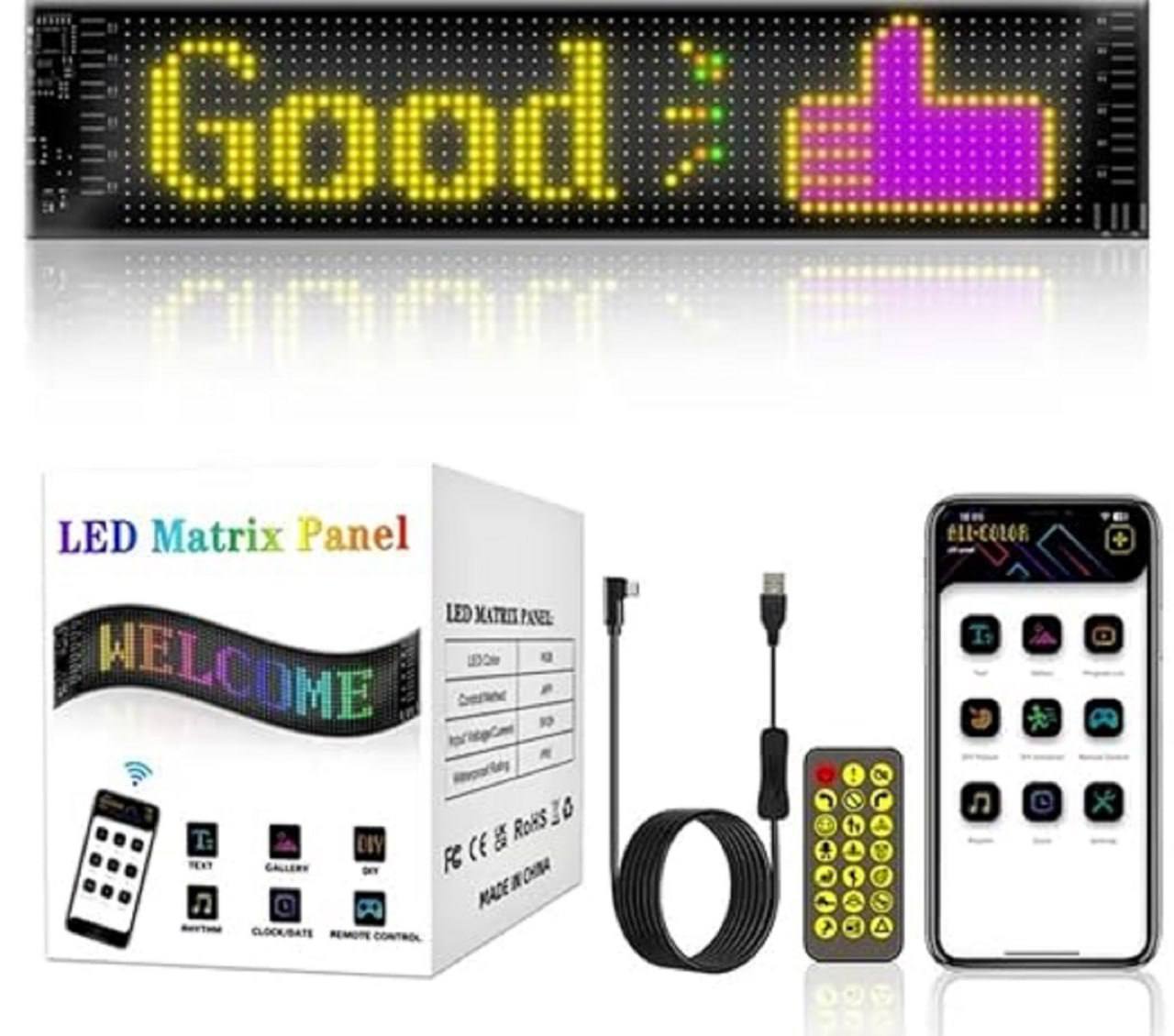
This 32×16 LED Matrix Panel is a compact, high-impact digital display that brings messages, icons and animations to life. It’s designed for flexible placement — windshield, dashboard, shop window, clothing panels or interior décor — and supports both Bluetooth APP control and IR remote for instant control. With IP65 water resistance and a USB power option, it’s perfect for indoor and protected outdoor use.
Key Features
- 32 × 16 Pixel Matrix: Crisp, multicolor display for text, icons and animations.
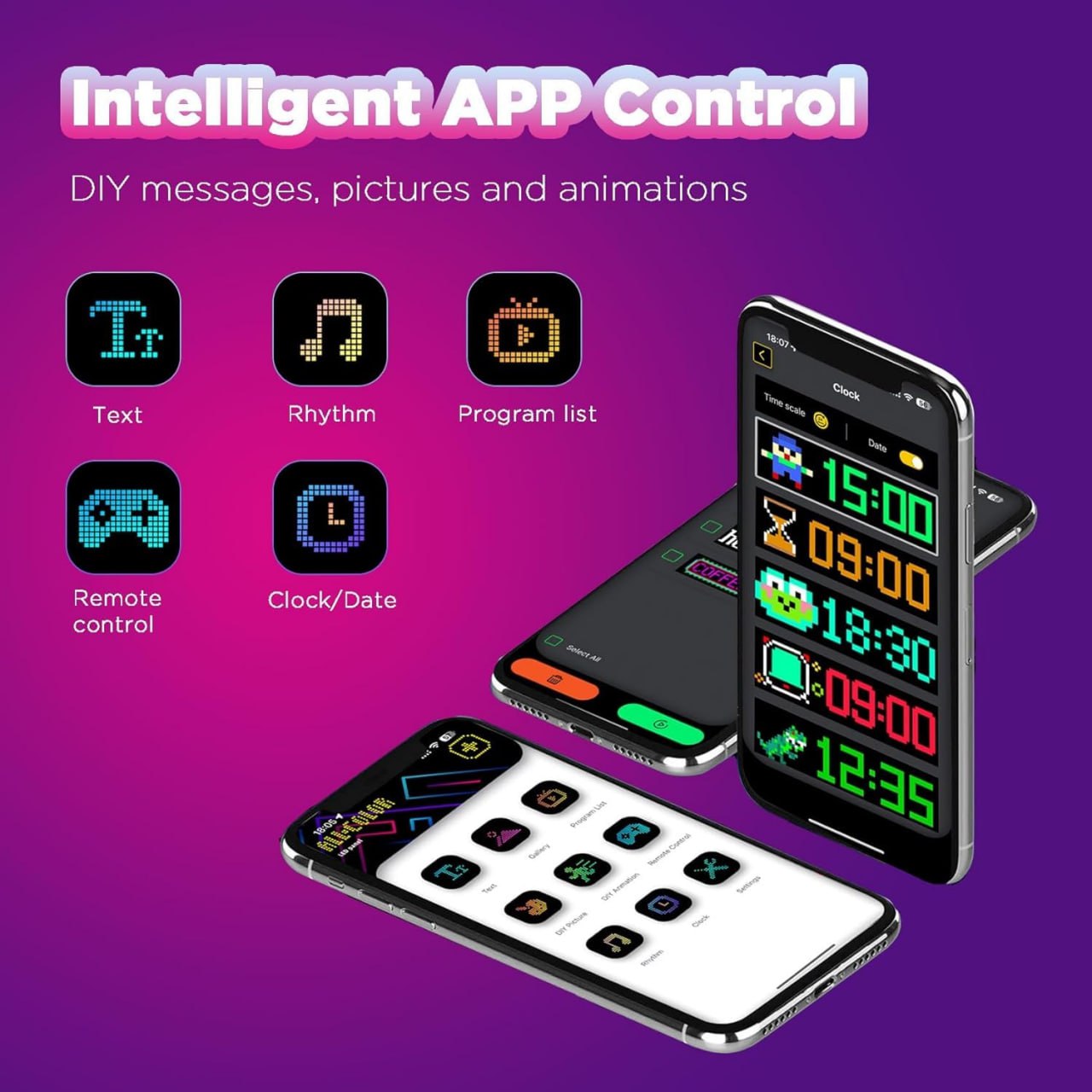
- App + Remote Control: DIY messages, emojis, scrolling text and saved program lists via smartphone app; quick access via IR remote.
- Flexible & Slim Design: Bendable to a degree for curved surfaces and easy mounting inside vehicles or on flat walls.
- IP65 Water Resistance: Protects against splash and light rain (recommended for sheltered outdoor use).
- USB Powered: Simple 5V USB power connection — use in-car USB, power bank or USB adapter.
- Multiple Modes: Clock/date, rhythm/music sync, animations, pre-built icons and custom text.
- Universal Use Cases: Taxi signs, car messages, shop advertising, event signage, wearable nameplate, and room decor.
Pros
- Highly visible, colorful and dynamic content
- Easy to program with app — no coding required
- Dual control options (app + remote) for convenience
- Lightweight and low-power USB operation
- Great for promotions, safety messages and creative displays
Cons
- Not intended for prolonged heavy rain or full submersion — best used protected from direct storm exposure
- Pixel resolution is small — best for short messages, icons or animations rather than detailed images
- Brightness may be less visible under direct midday sun — excellent for low-light and night use
Packaging Details
- Package Includes: 1 × 32×16 LED Matrix Panel, USB power cable, IR remote, mounting accessories, user manual
- Power: 5V USB (power adapter not always included — use phone charger or car USB)
- Dimensions: Standard 32×16 pixel module size (panel width approx. matches typical 32-pixel modules)
- Color: Black PCB with full-color RGB LEDs
How to Use
- Mount the panel on a clean surface using included mounts or double-sided tape (for vehicles, use interior windshield or dashboard in a sheltered area).
- Connect the USB power cable to a 5V USB power source (car USB, power bank or adapter).
- Install the companion app on your smartphone (search LED Matrix app or scan QR code in manual).
- Pair via Bluetooth, then choose templates or create custom text, icons and animations. Use the IR remote for fast preset control.
- For vehicle use, keep brightness moderate to avoid glare and follow local traffic regulations when displaying messages.
Why You’ll Love It
This LED Matrix Panel puts creative control in your hands — whether you want to display safety messages from your car, advertise in a shop window, add personality to an event, or create a wearable pixel name tag. It’s small, powerful and wonderfully easy to customize.
What you will get ?
What you will get ?


FAQs
How to buy a product?
- Browse or Search: Explore our wide range of products by navigating through categories or using the search bar to find specific items.
- Select the Product: Once you find the product you want, click on it to view more details, including descriptions, specifications, and customer reviews.
- Add to Cart: If you decide to buy, click the "Add to Cart" button. You can either continue shopping or proceed to checkout.
- Checkout: When ready, click on the shopping cart icon and select "Checkout." Fill in your shipping and payment details.
- Order Confirmation: After completing your payment, you'll receive an order confirmation via email with details of your purchase.
- Delivery: Sit back and relax! Your product will be delivered to your doorstep within the estimated delivery time.
How can i make refund from your website?
- Login to Your Account: Go to the My Account section by logging into your Mihikart account.
- Locate Your Order: Navigate to the "Order History" or "My Orders" tab and find the order for which you want a refund.
- Initiate Refund Request: Click on the order and select the "Request a Refund" or "Return" option. You'll need to provide a reason for the refund and any relevant details, such as product condition.
- Submit Refund Request: Once you fill in the required details, submit your refund request. You will receive a confirmation email.
- Approval and Return Process: Our team will review your request. If approved, you will be asked to return the product (if applicable) following the return instructions provided.
- Refund Processing: Once the product is received and inspected (if applicable), your refund will be processed, and the amount will be credited back to your original payment method within 5-7 business days.
I am a new user. How should I start?
1. Create an Account
- Visit the Mihikart homepage and click on the "Sign Up" button.
- Fill in your details such as your name, email address, and create a password. You can also sign up using your social media accounts.
2. Browse Products
- After signing up, you can start browsing through the wide range of products available.
- Use the search bar or category menus to find what you're looking for.
3. Add to Cart
- Once you find a product you like, click on it to view more details.
- If you wish to purchase, click the "Add to Cart" button.
4. Checkout
- When you’re ready to buy, go to your cart and proceed to checkout.
- Enter your shipping and payment details, and complete your purchase.
5. Track your Order
- After your order is confirmed, you can track it from your account under the "My Orders" section.
6. Get Help
- If you have any questions or need assistance, our customer support team is here to help!
Are my details secured?
Yes, your personal information and payment details are completely secure on Mihikart. We take data security very seriously and follow strict protocols to protect your information:
- Secure Encryption: All sensitive data, such as payment details and personal information, is encrypted using industry-standard SSL (Secure Socket Layer) technology to ensure safe transmission over the internet.
- Privacy Protection: We follow a strict privacy policy to ensure that your data is used only for purposes related to your transactions and order fulfillment. We do not share your details with any third parties without your consent.
- Secure Payment Gateways: Our payment gateways are fully PCI-DSS compliant, ensuring that your payment details are processed in a secure environment.
- Account Security: We recommend using a strong password and keeping your account credentials private. You can update your security settings anytime from the My Account section.
How do I make payment by my credit card?
1. Proceed to Checkout: After selecting the products you wish to buy, click on the shopping cart icon and choose "Checkout."
2. Enter Shipping Information: Fill in your delivery address and contact details, then proceed to the payment section.
3. Select Credit Card Payment: Choose the "Credit Card" option from the list of available payment methods.
4. Enter Card Details:
- Provide your credit card number, expiration date, and CVV (the 3-digit number on the back of your card).
- Ensure that the billing address matches the one associated with your credit card.
5. Review and Confirm: Double-check your payment details and order summary before clicking "Confirm Payment."
6. Secure Authorization: Depending on your bank, you may be required to complete an additional verification step, such as entering a one-time password (OTP) sent to your phone or email.
7. Payment Confirmation: Once your payment is successfully processed, you’ll receive an order confirmation via email with the details of your purchase.
Important Refund Notice
- Refunds will only be applicable if the product you receive is damaged upon delivery. To request a refund for a damaged product, you must provide an unboxing video as proof. The video should clearly show the condition of the package upon receipt and the damage to the product.
- Without an unboxing video, refund requests for damaged products may not be processed.
- If you have any questions or need assistance, please contact our customer support team.